Home > Declarative Device Management, Jamf Pro Blueprints, Mac administration, macOS, Mobile D 2026-6-8 19:39:15 Author: derflounder.wordpress.com(查看原文) 阅读量:33 收藏
Home > Declarative Device Management, Jamf Pro Blueprints, Mac administration, macOS, Mobile Device Management > MDM-based Software Update management options no longer work on all Apple 27.0 operating systems
MDM-based Software Update management options no longer work on all Apple 27.0 operating systems
As part of the release of macOS Tahoe, Apple deprecated the MDM-based Software Update management options and said that they would be removed the following year.

Apple has carried through on this and announced publicly that legacy software update management no longer functions in all Apple 27.0 operating systems. This announcement was posted as part of the following documentation:
- WWDC26 device management updates: https://support.apple.com/guide/deployment/device-management-updates-depd638aa061/1/web/1.0 (see the Software update command removal section.)

This file contains hidden or bidirectional Unicode text that may be interpreted or compiled differently than what appears below. To review, open the file in an editor that reveals hidden Unicode characters.
Learn more about bidirectional Unicode characters
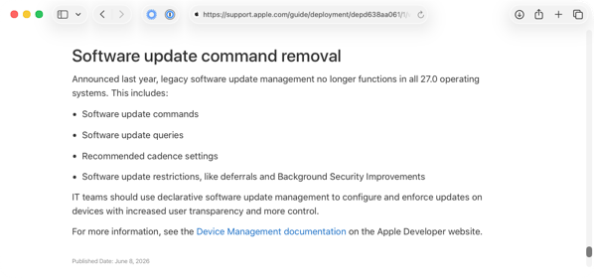
| Software update command removal | |
| Announced last year, legacy software update management no longer functions in all 27.0 operating systems. This includes: | |
| • Software update commands | |
| • Software update queries | |
| • Recommended cadence settings | |
| • Software update restrictions, like deferrals and Background Security Improvements | |
| IT teams should use declarative software update management to configure and enforce updates on devices with increased user transparency and more control. |
What this means is that the only Software Update management settings which work on Apple 27.0 operating systems are those which are using declarative device management:
https://developer.apple.com/documentation/devicemanagement/softwareupdatesettings
For those who want to use Jamf Pro’s Blueprints to manage Software Update settings using declarative device management, I have a post on how to do this available via the link below:
如有侵权请联系:admin#unsafe.sh